
Exploring Your Network API with Postman
What is Postman and how do I use the Charity Tracker or Oasis Insight Workspace with my token?
Postman is an API Design and Testing tool used by developers and end users to develop, explore, and test APIs and API workflows.
We have created a Postman Workspace that you can use to explore your own API once you have been issued an API Token.
You may download the Postman Workspace here!
When you first open Postman and import the workspace, you’ll need to configure it with your API Token. In order to do so, click the environment selection dropdown in the top right, and select “CT Testing” if it’s not already selected.
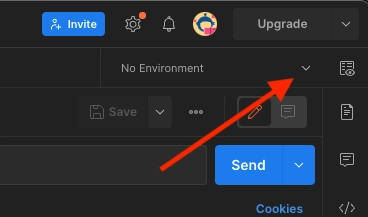
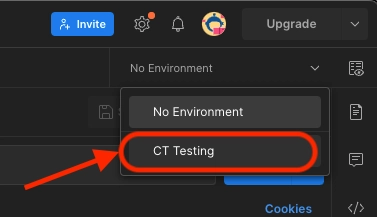
Next, click the environments icon next to the Collections icon on the left, and select the CT Testing environment variables section.
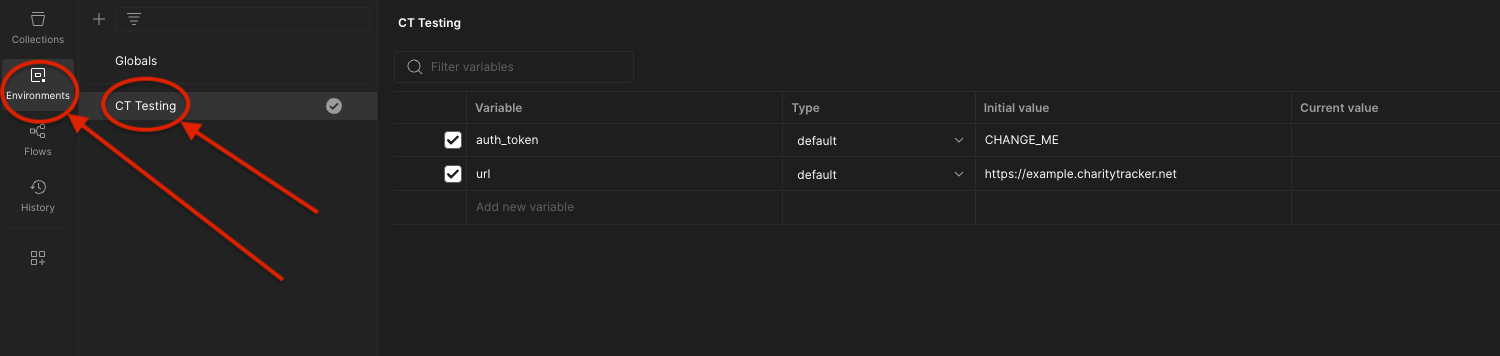
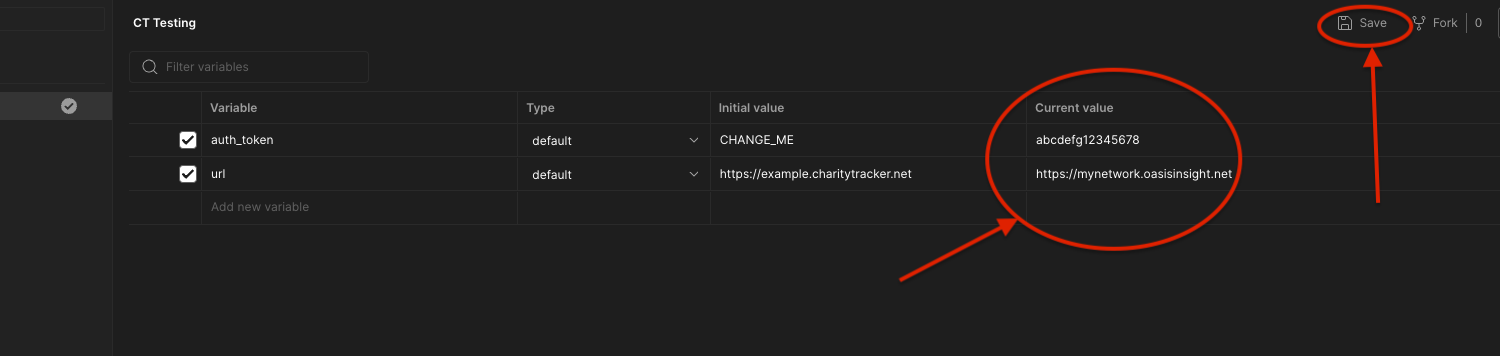
Here you will see the "auth_token" and "url" fields. Insert your issued Authorization token into the auth_token field underneath the CURRENT VALUE column.
Then insert your FULL CharityTracker or Oasis Insight network URL into the url field underneath the CURRENT VALUE column. Be sure to enter your URL in correctly and WITHOUT a trailing slash!
Finally, click SAVE to save your environment.
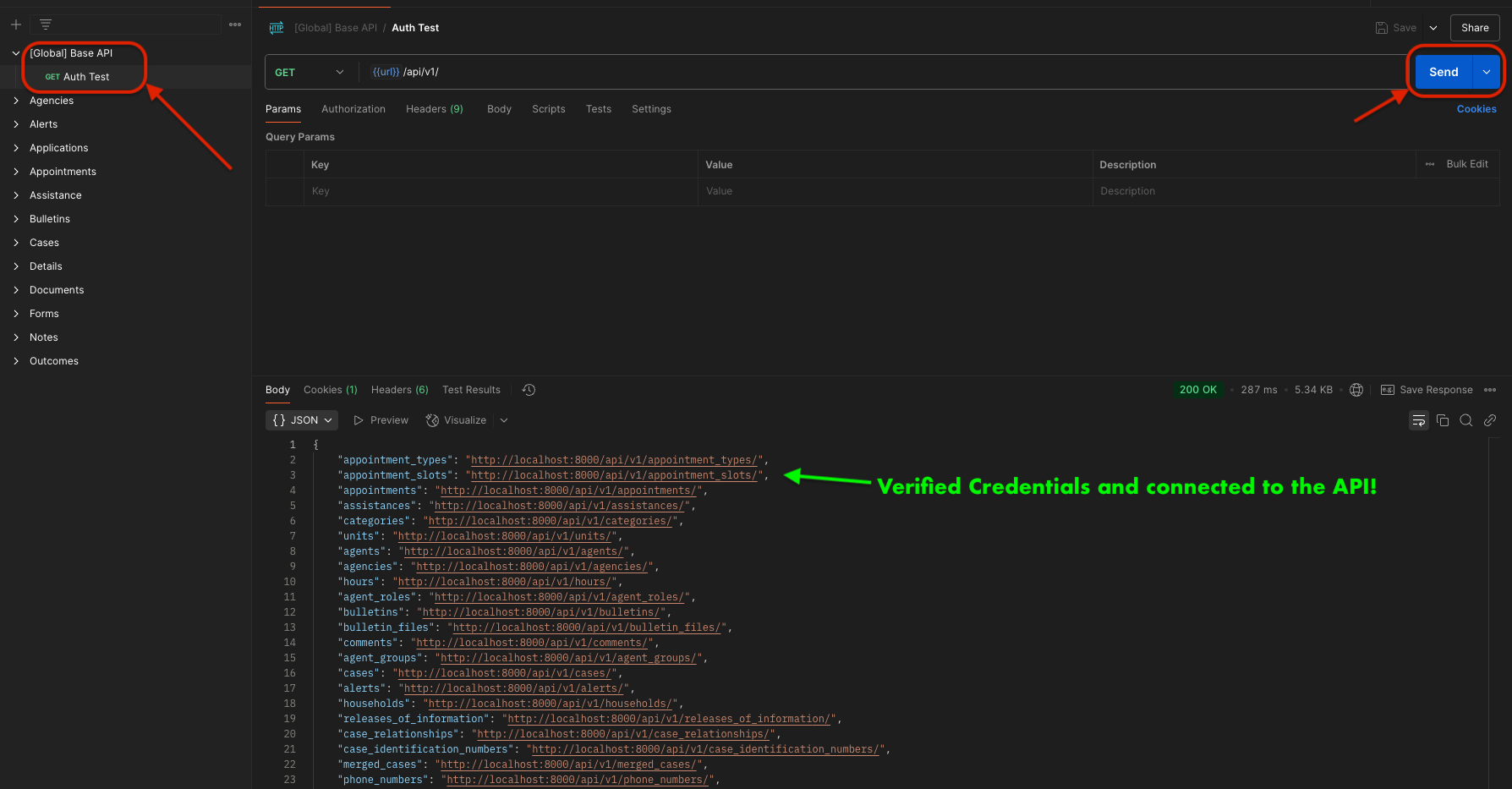
You should now be able to connect to your Network’s API! You can test this by verifying your authentication via the [Global] Base API >> auth test endpoint. If you select this endpoint and click Send, you should see a status 200 response with a JSON array of all endpoints available to you via the API!
Updated 4 months ago